Connect Bol.com API
Follow the steps below to connect your Bol.com seller account to BolMoneybird.
Go to your Bol.com seller account
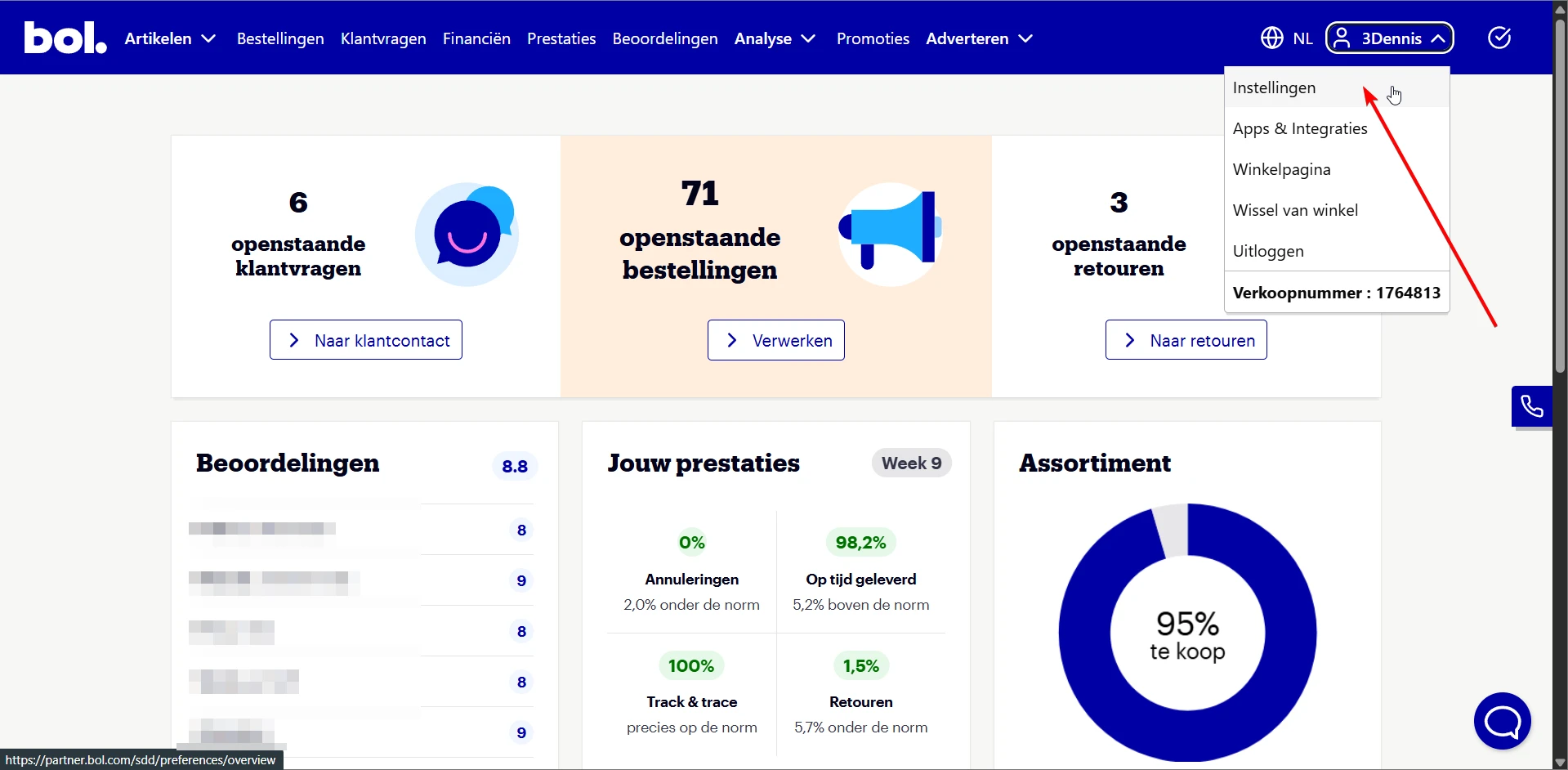
Log in to your Bol.com partner account and click your name in the top right. Then click Settings (Instellingen).
Or go directly to: https://partner.bol.com/sdd/preferences/shop/details
Open API Settings
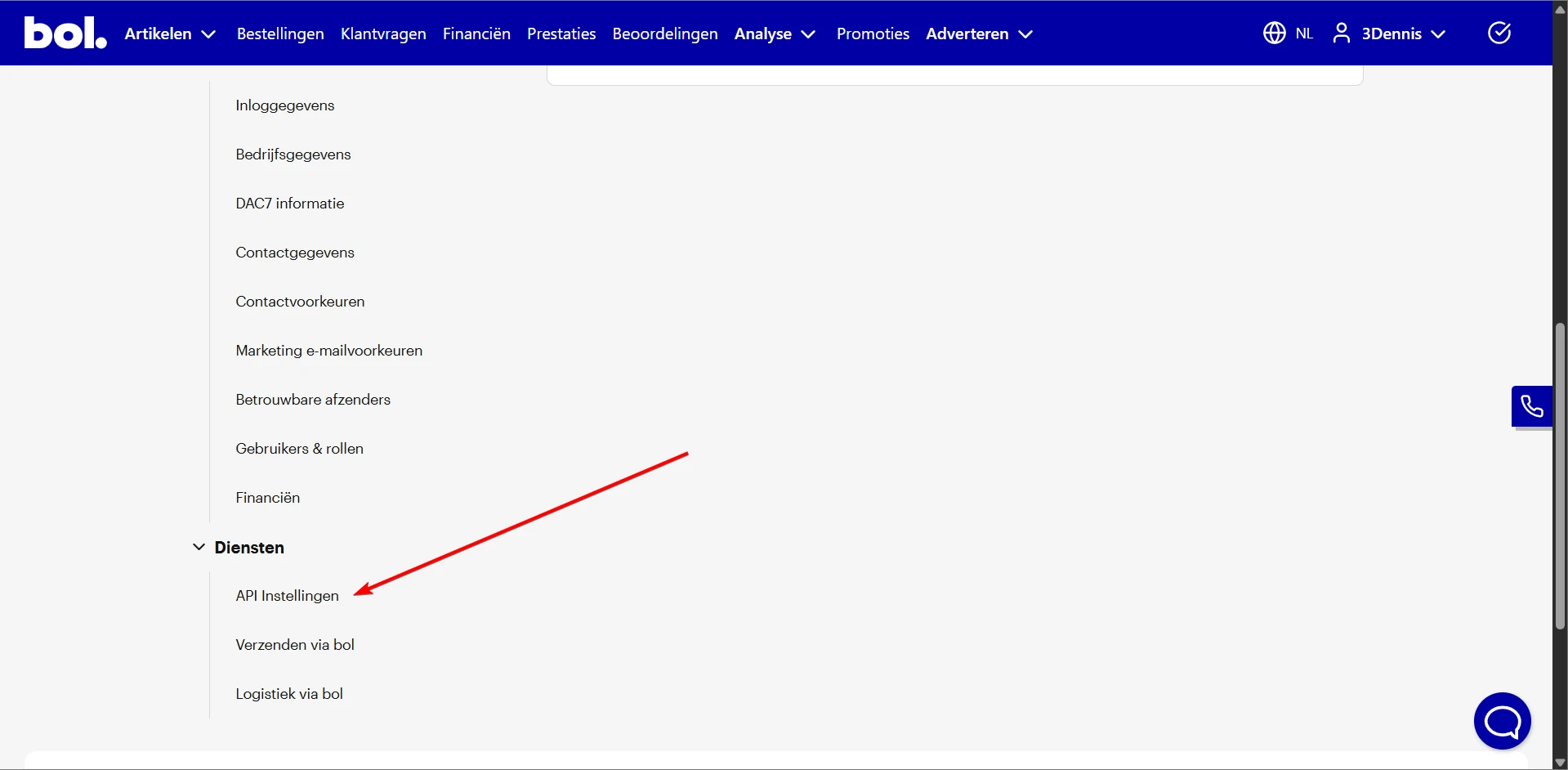
Scroll down on the settings page. Under the Diensten (Services) heading, you'll find API Instellingen (API Settings). Click on it.
Or go directly to: https://partner.bol.com/sdd/preferences/services/api
Create new API credentials
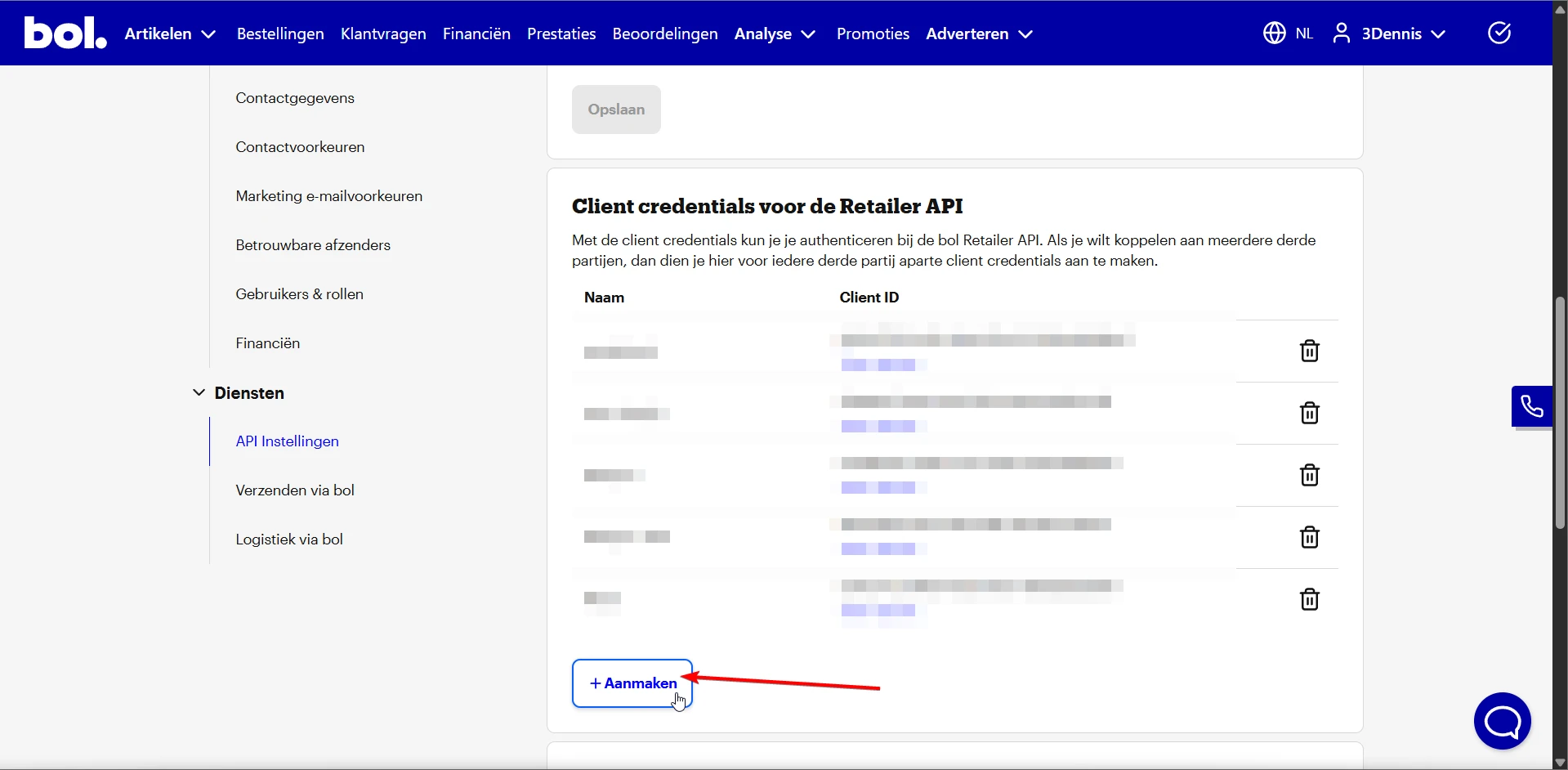
Scroll to Client credentials voor de Retailer API and click the + Aanmaken (Create) button.
Name your API key
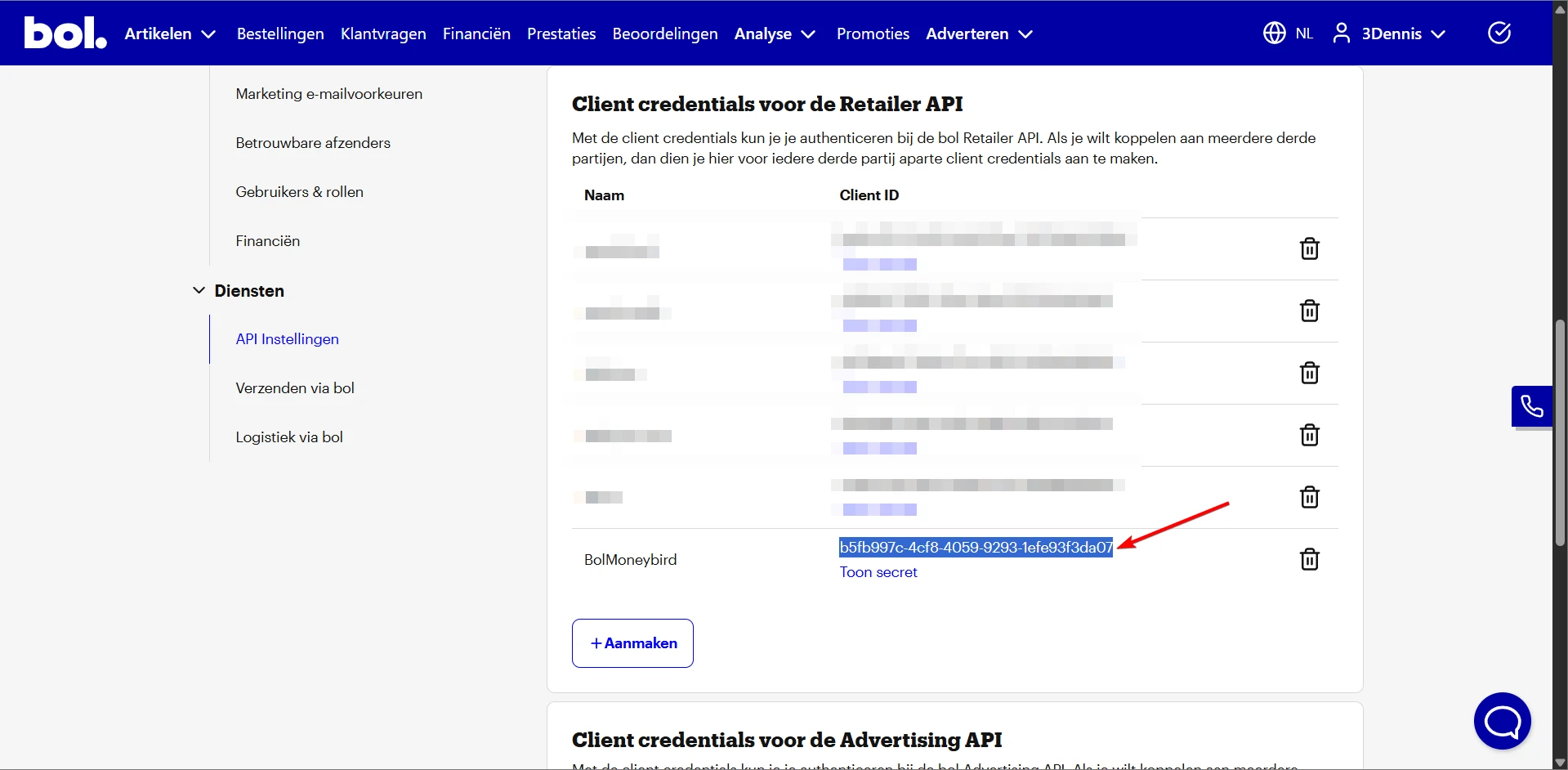
Give the API key a recognizable name, for example BolMoneybird. Click save.
Copy your Client ID and Secret
After creating, you'll see your new credentials in the list. Copy the Client ID and click Toon secret (Show secret) to view and copy your Client Secret.
Enter the credentials in BolMoneybird
Go back to BolMoneybird and enter your Client ID and Client Secret on the onboarding or settings page. Click Test connection to verify everything works.
Ready to connect?
Enter your Client ID and Secret in BolMoneybird.