Create Moneybird API token
Follow the steps below to connect your Moneybird administration to BolMoneybird.
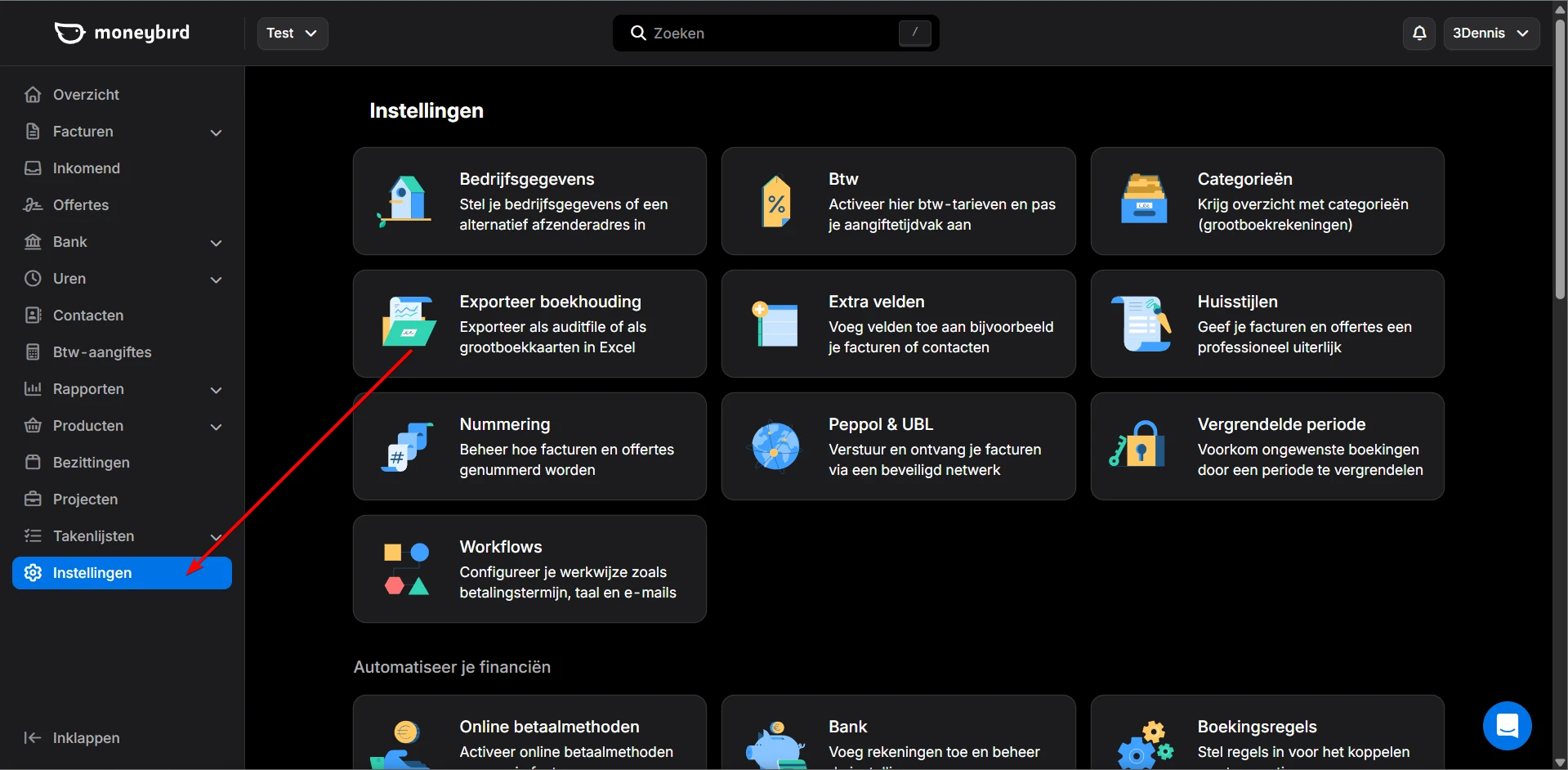
Go to Settings
Log in to your Moneybird account and click Instellingen (Settings) in the left sidebar.
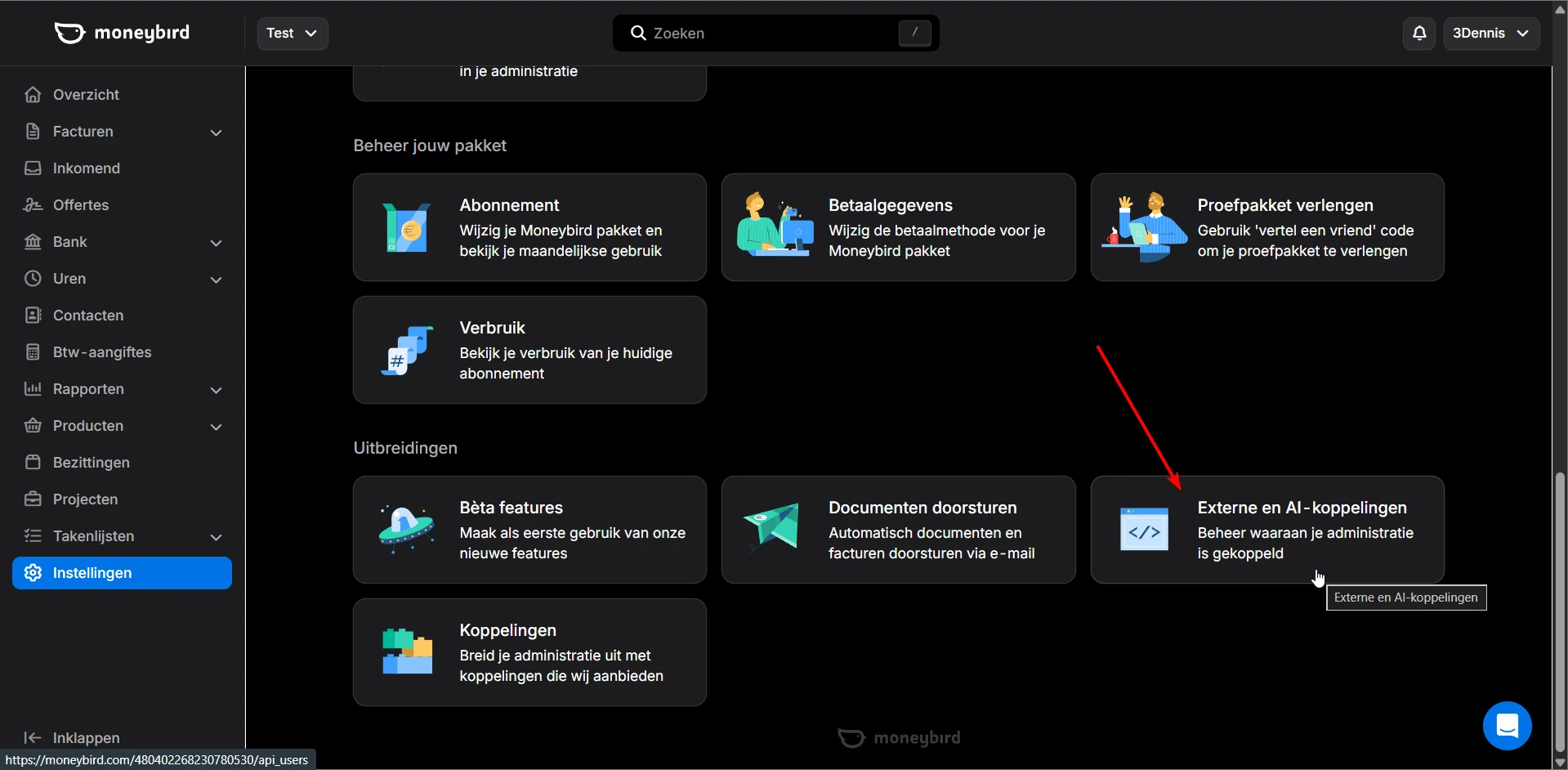
Click External and AI integrations
Scroll down on the settings page. Under the Uitbreidingen (Extensions) heading, you'll find Externe en AI-koppelingen (External and AI integrations). Click on it.
Click Create API token
Click the API token aanmaken (Create API token) button to create a new token.
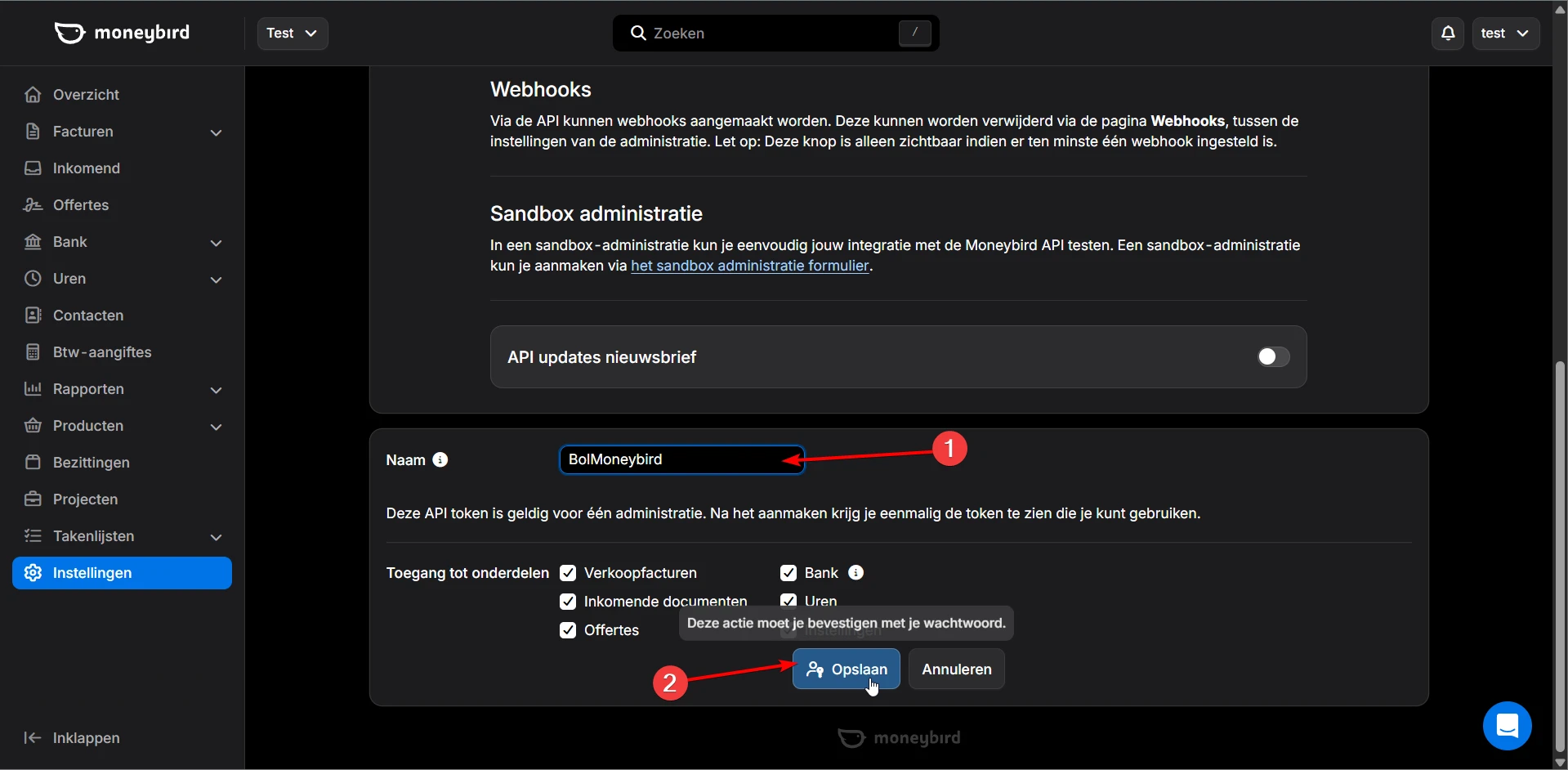
Name the token and click Save
Enter a recognizable name in the Naam (Name) field, for example BolMoneybird. Leave all access permissions checked and click Opslaan (Save).
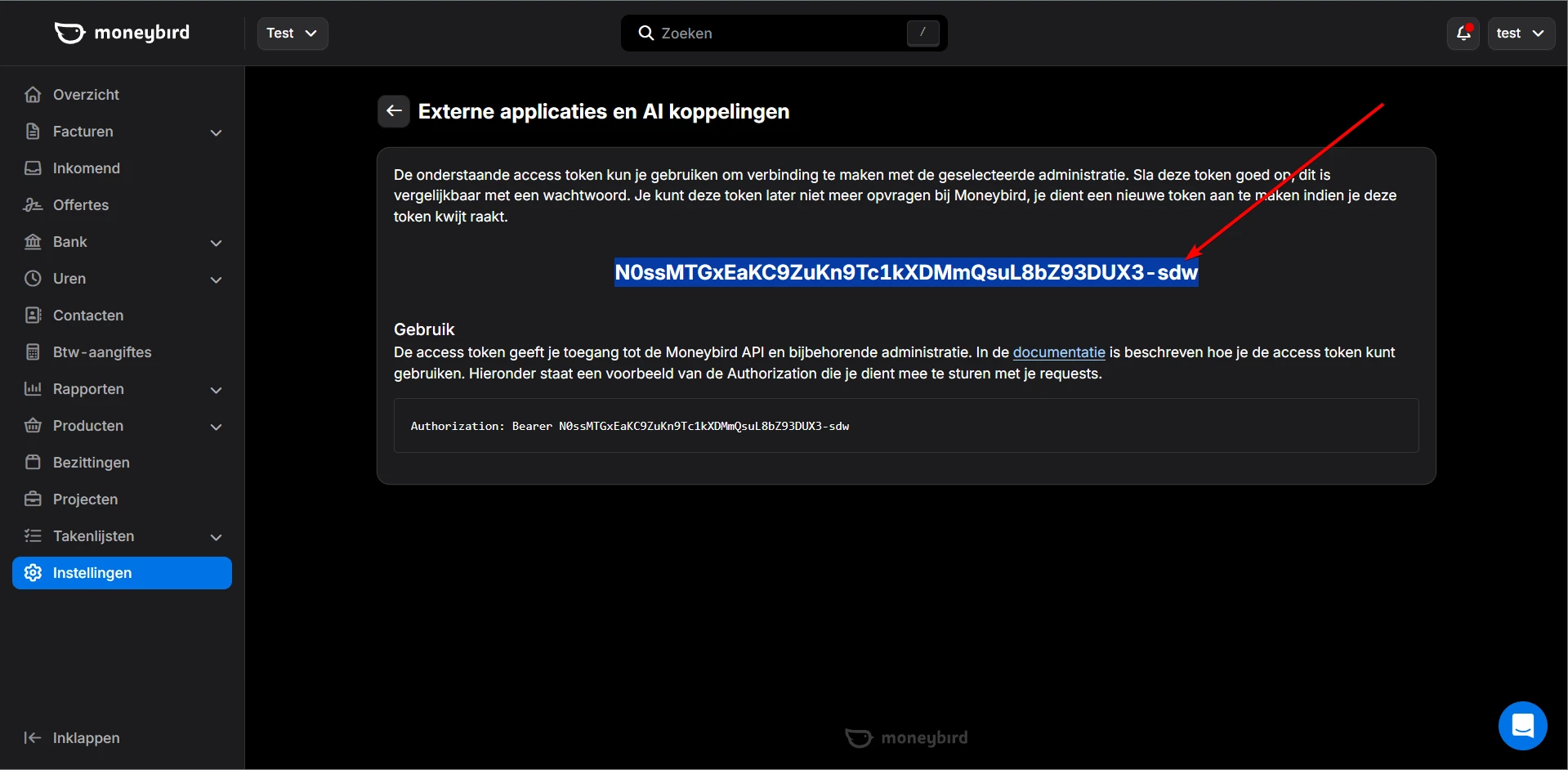
Copy your API token
After creating, your API token will be shown. Copy this code carefully — it is only shown once. If you lose it, you'll need to create a new token.
Enter the token in BolMoneybird
Go back to BolMoneybird and enter your API token and administration ID on the onboarding or settings page. Click Test connection to verify everything works.
Ready to connect?
Enter your API token in BolMoneybird.