Recording Returns in Moneybird: How to Do It as a Bol.com Seller
BolMoneybird Team
team@bolmoneybird.nl
Returns are an unavoidable part of selling on Bol.com. Depending on your product category, the return rate can reach 30% or more. Every return must be correctly processed in your accounting — and in most cases, that means creating a credit invoice in Moneybird. In this article, we explain step by step how to record returns in Moneybird as a Bol.com seller, both manually and automatically.
Why Correctly Recording Returns Matters
Let us first clarify why you cannot simply ignore returns in your accounting:
Financial Accuracy
When you sell an order, you record the revenue and the associated VAT. If the customer returns the product, you refund the money and must correct the revenue and VAT. If you fail to do this, your accounting shows too much revenue and you remit too much VAT.
Tax Returns
When filing your quarterly or annual VAT return, you report your revenue and the VAT owed. If you have not recorded returns as credit invoices, you end up paying VAT on products you never actually sold. That is money you lose unnecessarily.
Tax Authority Audits
During a tax audit, the Dutch Tax Authority expects you to be able to show a credit invoice for every return, linked to the original sales invoice. A complete administration protects you against back taxes and fines.
Accurate Profit Overview
Without correct return processing, your profit overview is distorted. You think you have generated more revenue than is actually the case. This can lead to poor business decisions.
What Is a Credit Invoice?
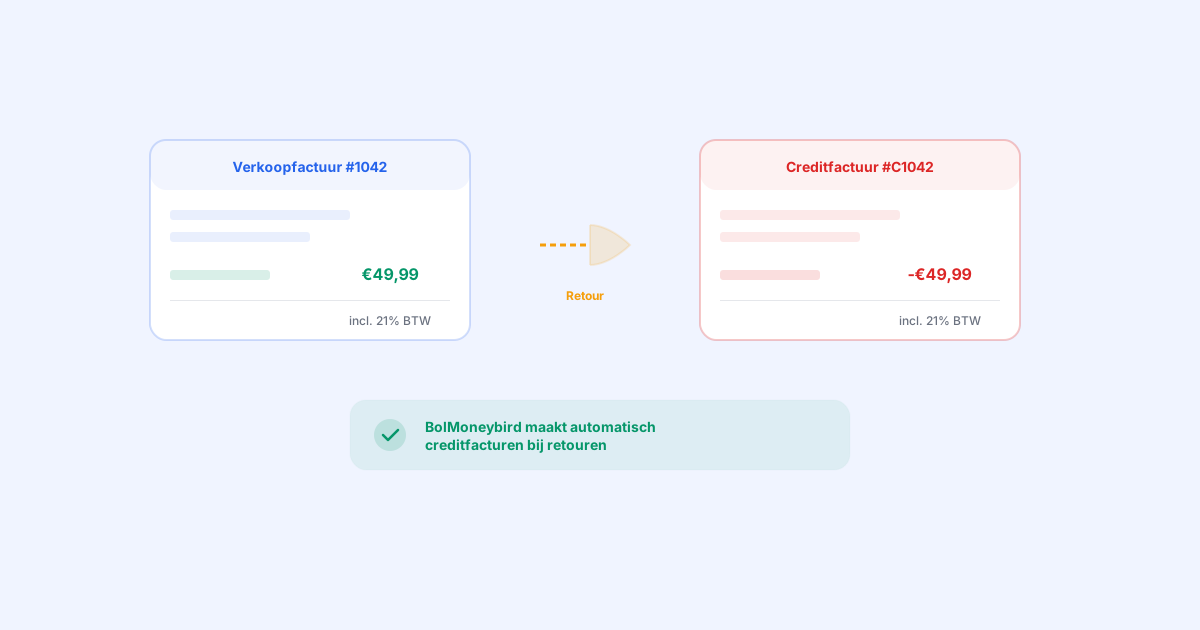
A credit invoice (also called a credit note) is the opposite of a sales invoice. While a sales invoice adds an amount to your revenue, a credit invoice subtracts an amount. It is the official way to reverse a (partial) sale in your accounting.
A credit invoice contains:
- A reference to the original sales invoice
- The products being returned
- The amounts being credited (including VAT)
- The date of the credit
- Its own invoice number (often with a “C” or “CN” prefix)
Manually Recording Returns in Moneybird: Step by Step
If you do not use an automation tool, you need to process each return manually. Here is how to do it:
Step 1: Identify the Return in Bol.com
Go to your Bol.com seller portal and review the returns. Note:
- The order number
- Which product was returned
- The reason for the return
- The date of the return
Step 2: Find the Original Invoice in Moneybird
Open Moneybird and go to Sales > Invoices. Search for the invoice that matches the order number. This can be difficult if you did not include the order number as a reference in the invoice.
Step 3: Create a Credit Invoice
In Moneybird, you can create a credit invoice in two ways:
Option A: From the original invoice
- Open the original sales invoice
- Click “More actions” > “Create credit invoice”
- Moneybird automatically creates a credit invoice with the same details
- Adjust the line items if necessary (if only part of the order was returned)
- Save the credit invoice and send it
Option B: Create manually
- Go to Sales > Invoices > New invoice
- Fill in the customer details
- Add the returned products with negative amounts
- Ensure the VAT rate matches the original invoice
- Add a reference to the original invoice
- Save and send
Step 4: Verify the Entry
Check in Moneybird that:
- The credit invoice has the correct amount
- The VAT rate matches the original invoice
- The credit invoice is assigned to the correct ledger account
- The date is correct
Step 5: Process the Refund
If you have already refunded the customer (on Bol.com this typically happens automatically), you also need to process the payment. In Moneybird:
- Open the credit invoice
- Click “Register payment”
- Enter the refunded amount
- Link the payment to the correct bank account
The Challenges of Manual Return Processing
Processing returns manually is problematic for several reasons:
Time-Consuming
For each return, you need to:
- Identify the return in Bol.com (2 minutes)
- Find the original invoice in Moneybird (1-3 minutes)
- Create and verify the credit invoice (3-5 minutes)
- Process the refund (1-2 minutes)
That is 7-12 minutes per return. With 30 returns per month, this already costs you 3.5-6 hours.
Error-Prone
- You might apply the wrong VAT rate to the credit invoice
- You might overlook a return entirely
- You might copy the amount incorrectly
- You might forget to link the credit invoice to the original invoice
Delays
If you only process returns at the end of the month, your interim accounting is inaccurate. You have no current picture of your actual revenue.
Automatic Return Processing with BolMoneybird
BolMoneybird automates the entire return process. Here is how it works:
Detection
BolMoneybird checks your Bol.com account every 5 minutes for new returns. As soon as a return is detected, the processing workflow starts automatically.
Credit Invoice Creation
BolMoneybird automatically creates a credit invoice in Moneybird with:
- Correct customer details: taken from the original sales invoice
- Accurate products and amounts: exactly matching what was returned
- Correct VAT rate: the same rate as on the original invoice
- Reference to the original invoice: so the link is always traceable
- Correct date: the date the return was registered on Bol.com
Linking to the Original Invoice
The credit invoice is automatically linked to the original sales invoice in Moneybird. This way, you can always see at a glance which invoices have been credited.
Partial Returns
If only part of an order is returned (for example, 1 out of 3 items ordered), BolMoneybird creates a credit invoice for only the returned product. The amounts are correctly calculated based on the original product price.
Frequently Asked Questions About Returns in Moneybird
Do I need to create a credit invoice for every return?
Yes, that is the correct accounting practice. Every return must result in a credit invoice that (partially) reverses the original sale. This is not only proper bookkeeping but also legally required.
What if the customer returns a damaged product?
If you do not accept the return and do not refund the customer, you do not need to create a credit invoice. The original sale simply stands. If you partially refund the customer, you create a credit invoice for the refunded amount.
Do I need to send the credit invoice to the customer?
For Bol.com sales, it is not customary to send credit invoices to customers, since the return process is handled through Bol.com. The credit invoice is primarily for your own records. However, you must be able to present it during a tax audit.
What if I record a return too late?
If you record a return too late, your VAT return for that period is incorrect. You will have remitted too much VAT. You can correct this through a supplementary return with the Tax Authority. To prevent this, it is important to process returns as quickly as possible — or to automate the process.
What about the Bol.com commission on a return?
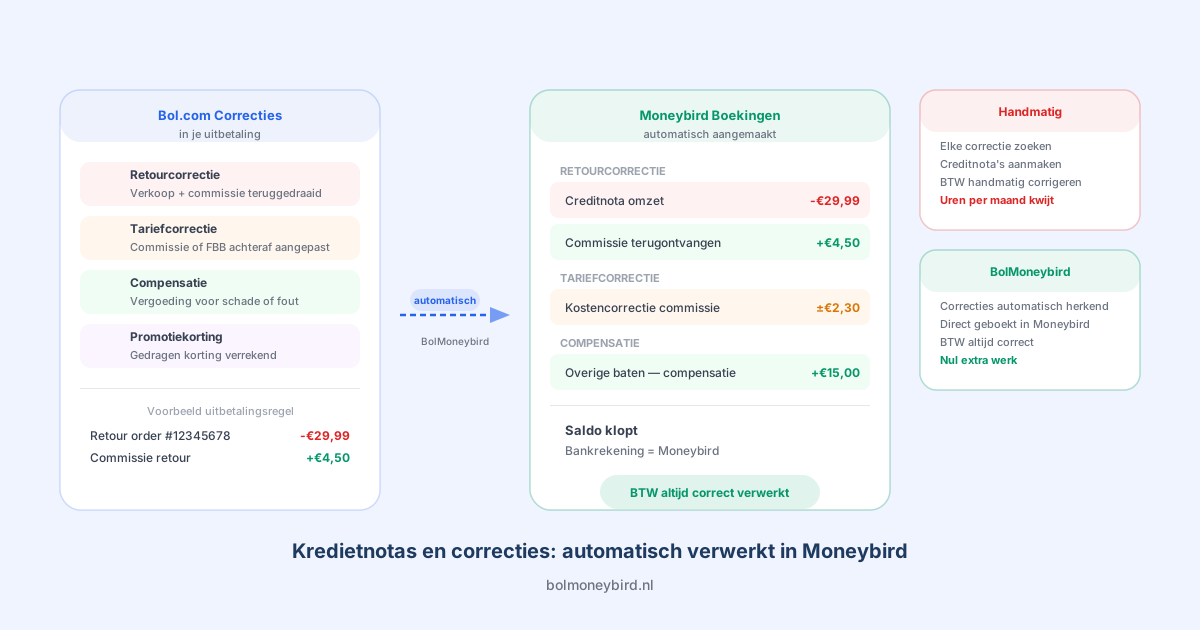
When a product is returned, Bol.com does not always refund the commission. This depends on the return policy and the reason for the return. BolMoneybird takes this into account and records the commission costs correctly.
Best Practices for Return Processing
- Process returns daily: Do not let returns pile up. Process them daily or — better yet — automate the entire process.
- Check VAT rates: Ensure that the credit invoice always has the same VAT rate as the original invoice.
- Keep documentation: Maintain a record of all returns, including the reason. This can be useful during a tax audit.
- Automate: Use BolMoneybird to automate the entire process and prevent errors.
Conclusion
Correctly recording returns in Moneybird is essential for accurate accounting as a Bol.com seller. Doing it manually is a time-consuming and error-prone process. With BolMoneybird, you automate the complete return workflow: from detection to credit invoice, including correct VAT rates and linking to the original invoice. This way, your accounting is always up to date and you never have to worry about forgotten or incorrect credit invoices. Try BolMoneybird for free and discover how simple return processing can be.
Tags
Share