Preparing Your VAT Return as a Bol.com Seller: Step by Step
BolMoneybird Team
team@bolmoneybird.nl
The end of the quarter is approaching, and for every Bol.com seller, that means one thing: it’s time to prepare your VAT return. For many entrepreneurs, this is a stressful task, especially when the bookkeeping isn’t fully up to date. Transactions that don’t match, missing commission entries, returns booked incorrectly. Sound familiar?
In this article, we’ll walk you through how to prepare your VAT return as a Bol.com seller, step by step. We’ll cover which figures you need, where sellers commonly make mistakes, and how automation can save you hours of work.
Why VAT Returns Are Complex for Bol.com Sellers
A VAT return for a regular webshop is relatively straightforward: you add up your revenue, subtract the input tax, and file the difference. But as a Bol.com seller, you’re dealing with extra layers of complexity that make the process considerably more challenging.
First, you don’t receive payments directly from customers. Bol.com collects the payment, deducts commission, and transfers the remaining amount to your account. This means your sales invoices don’t match your bank statements, which creates confusion during reconciliation. You also need to book commissions separately in Moneybird to keep your administration complete.
Additionally, you’re dealing with multiple VAT rates. Depending on your product categories, you may be selling items at 21%, 9%, or even 0% VAT. If you’re not meticulous about this, your return won’t add up. Our article on VAT rates for Bol.com products provides a complete overview of which rate applies when.
Step 1: Verify All Sales Invoices Are Booked
The first step in preparing your VAT return is making sure every sale is correctly recorded in your bookkeeping. When processing manually, this is a time-consuming job. You need to compare every order from your Bol.com seller account with the corresponding invoice in Moneybird.
Specifically, check whether the number of invoices matches the number of orders for the relevant period. Also verify that the amounts per invoice are correct, including the right VAT rate. It’s common for sellers to forget to create invoices for orders that came in late in the quarter, especially around the last days of the month.
With BolMoneybird, this is handled automatically. Every Bol.com order is immediately created as a sales invoice in Moneybird, so you never miss an order.
Step 2: Process Returns Correctly
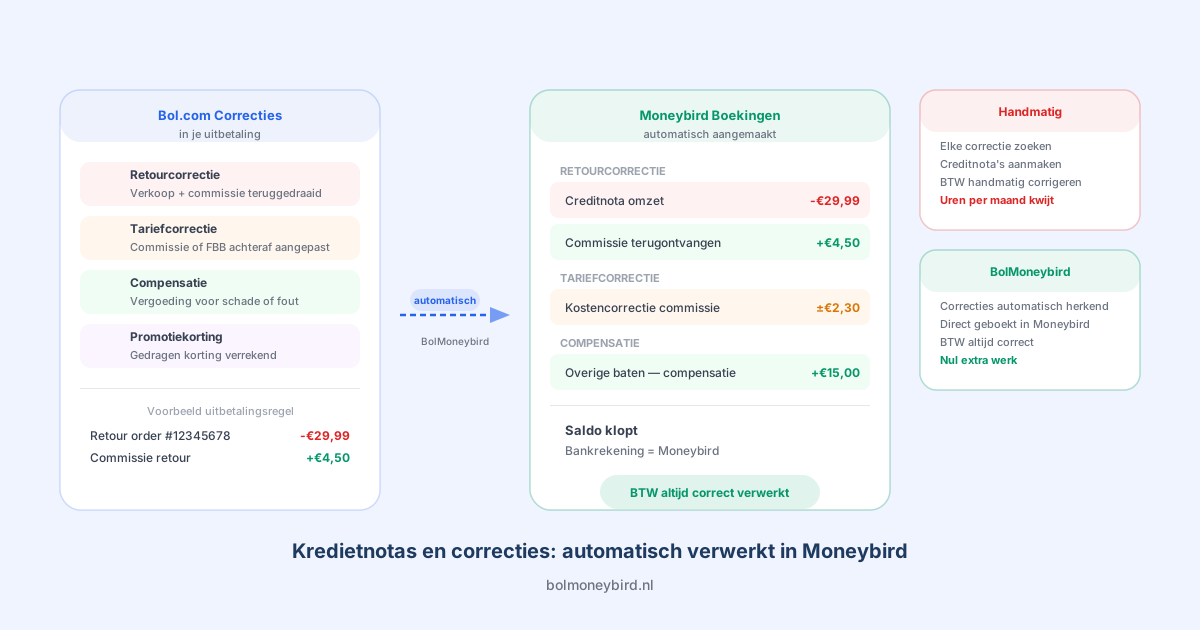
Returns are a frequent source of errors in VAT returns. When a customer returns a product, you need to not only correct the revenue but also reclaim the previously remitted VAT. You do this by creating a credit invoice that offsets the original invoice partially or fully.
The challenge is that returns on Bol.com aren’t always processed at the same time as the refund. Sometimes a return is reported in one quarter but only financially settled in the next. You need to carefully track which period the credit belongs to. Our article on booking returns in Moneybird explains exactly how to handle this.
Step 3: Book Bol.com Commissions as Purchase Costs
A common mistake is forgetting to include Bol.com commissions in your bookkeeping. Bol.com deducts commission on every sale before transferring money to your account. This commission is a business expense on which you can reclaim input VAT, provided it’s booked correctly.
Bol.com provides a monthly overview of deducted commissions. This amount needs to be processed as a purchase invoice in Moneybird, complete with the correct VAT amount. If you don’t do this, you’re not only missing out on input tax deductions but your bookkeeping also gives a distorted picture of your actual margins.
Manually booking commissions is error-prone, especially if you have a high order volume. A small calculation error can add up to a significant amount over an entire quarter.
Step 4: Reconcile Your Bank Statements
After all invoices, credit invoices, and commissions are booked, it’s time to reconcile your bank statements. This means linking every bank transaction to the correct entry in Moneybird. With Bol.com sales, this is extra challenging because Bol.com pays out weekly in bundled amounts.
A single Bol.com payout can contain dozens or even hundreds of individual orders, minus commissions and return credits. Matching such a bundled payment to individual invoices requires meticulous work. If you do this manually, you can easily spend half a day per quarter on reconciliation alone.
Step 5: Review Your VAT Calculation
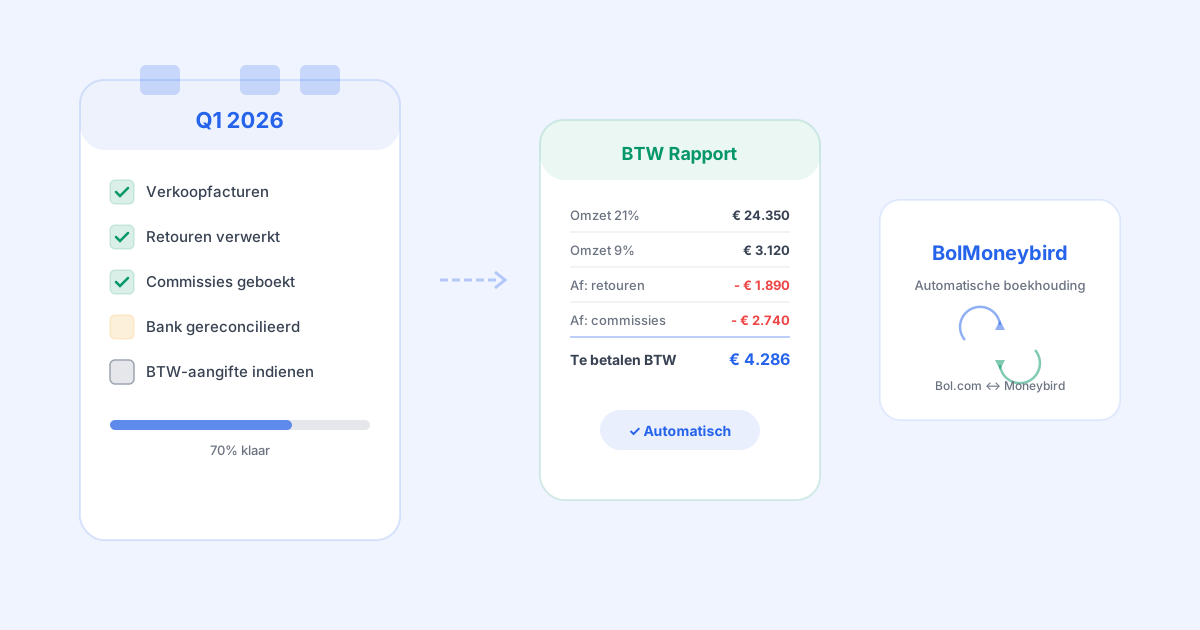
Before filing your return, it’s wise to do a final review. Export a VAT report from Moneybird and check the following points. Does the total revenue match what Bol.com reports? Are the VAT amounts correctly split by rate? Is the input tax on commissions and other purchase costs included? Are all credit invoices for returns processed?
A quick sanity check is to compare your net revenue in Moneybird with the total revenue in your Bol.com seller account. If these figures deviate significantly, something has gone wrong somewhere.
How BolMoneybird Simplifies This Process
Manually going through all these steps takes an average of 4 to 8 hours per quarter, depending on your order volume. Sellers with hundreds of orders per month often spend even longer. And there’s always the risk that something gets overlooked.
BolMoneybird automates the majority of this process. Sales invoices are automatically created as soon as an order comes in. Credit invoices for returns are processed automatically. Commissions are correctly booked with the right VAT amount. And everything is synced directly to Moneybird, making bank reconciliation significantly faster.
The result: instead of spending hours slogging through spreadsheets and manual entries, you only need to export the VAT report from Moneybird and file it. No stress, no errors, no surprises from the tax authority.
Get Started
The end of Q1 2026 is approaching. Don’t wait until the last moment to get your bookkeeping in order. The sooner you start automating, the less work you’ll have with every subsequent return.
Try BolMoneybird for free and discover how easy your VAT return can be when your Bol.com accounting runs fully automatically.
Tags
Share