How to Reconcile Bol.com Payouts in Moneybird
BolMoneybird Team
team@bolmoneybird.nl
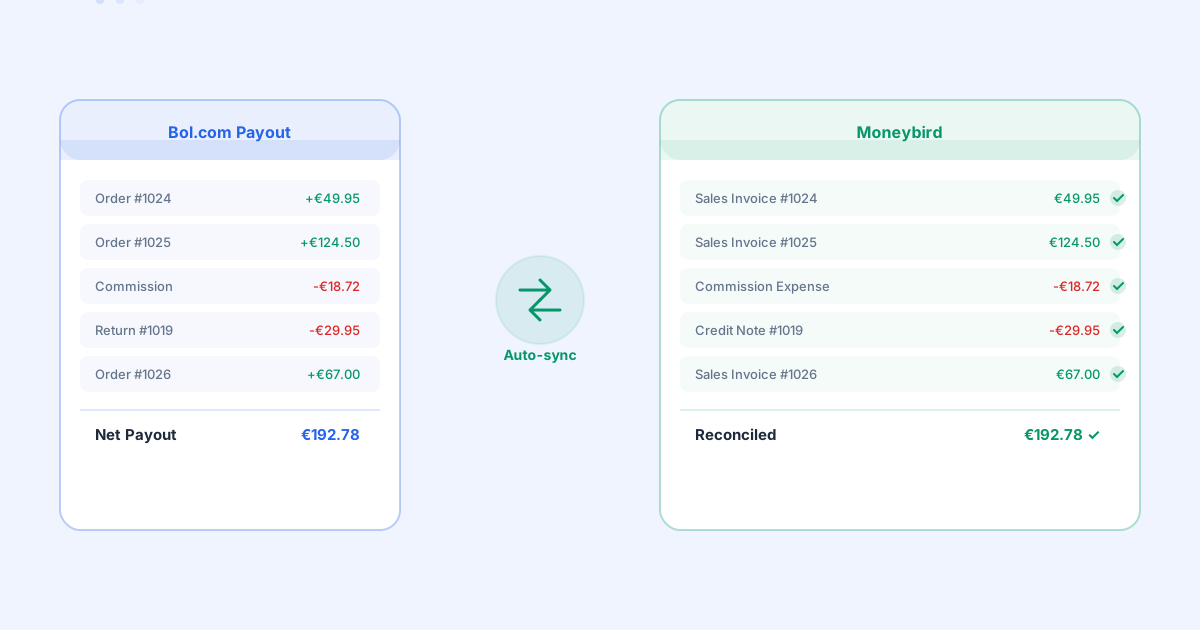
You sell products on Bol.com, orders keep rolling in, and every week a payout lands in your bank account. But when you try to match that payout to your bookkeeping in Moneybird, things get complicated fast. The amount on your bank statement does not match the sum of your sales invoices. Where is the difference? And how do you reconcile everything correctly?
In this article, we walk you through how Bol.com payouts work, why they are difficult to reconcile, and how you can automate this process with BolMoneybird.
How Do Bol.com Payouts Work?
Bol.com does not pay sellers per order. Instead, it bundles all transactions from a specific period into one payment specification. That specification contains the total of your sales, minus several deductions: commissions, shipping costs (for Fulfillment by Bol), promotional discounts, and return costs.
The amount that ultimately hits your bank account is the net result of all those settlements. This makes it nearly impossible to directly match the payout to individual sales invoices in your accounting. You are dealing with dozens, sometimes hundreds of transactions condensed into a single payment.
For many sellers, this is the moment where bookkeeping starts to break down. You see an incoming payment of, say, €3,847.52 and you have no idea which orders it covers without digging into the payment specification. Manually figuring this out can easily take an hour or more per payout.
Why Reconciliation Matters
You might think: if the money comes in, it is fine, right? Unfortunately, it is not that simple. Your bookkeeping needs to be accurate at the transaction level, not just the total. There are several reasons why proper reconciliation is essential.
First, your VAT return. The VAT you file is based on your sales invoices, not on what Bol.com pays you. If your invoices do not match actual sales, your VAT return will be incorrect. This can lead to additional assessments or fines during a tax audit. We previously wrote about how to prepare your VAT return as a Bol.com seller, and correct reconciliation is the foundation of that process.
Second, commission costs. Bol.com charges commission per product category, and those percentages vary significantly. If you do not book commissions separately, you have no insight into your actual margins per product. Our article on booking commissions in Moneybird covers this topic in detail.
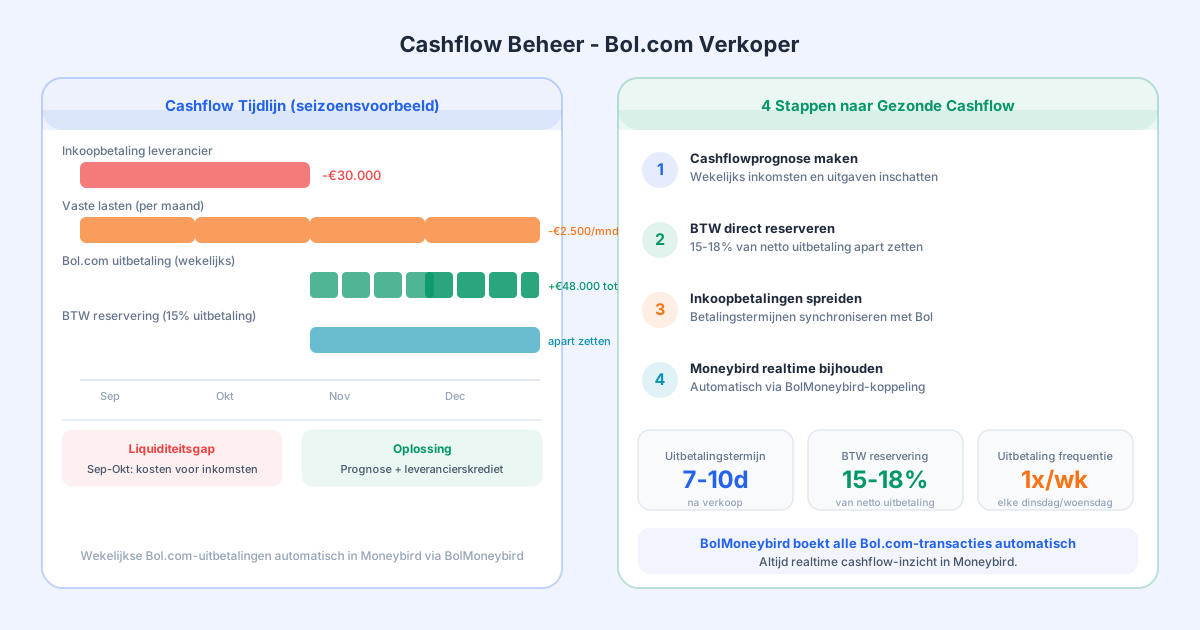
Third, your cash flow overview. If you do not reconcile payouts properly, you cannot trust the numbers in Moneybird. You will not know whether certain orders have been paid, whether money is still in transit, or whether there is a discrepancy that needs investigation.
The Challenge of Manual Reconciliation
Let us be honest: manually reconciling Bol.com payouts in Moneybird is a nightmare. A typical workflow looks like this. You download the payment specification from Bol.com as a CSV or PDF. Then you compare it line by line with the invoices in Moneybird. You book the commissions separately as purchase invoices or expense entries. You process any returns as credit notes. And finally, you match the bank transaction to all those individual entries.
With five orders per week, this is manageable. But with fifty orders per day, it becomes unworkable. You end up spending hours on administrative tasks that add no value to your business. On top of that, the risk of errors is enormous: one incorrectly entered amount and your entire reconciliation falls apart.
The frustrating part is that all the information is available. Bol.com provides detailed specifications, and Moneybird can process everything neatly. The problem lies in the translation between the two, and that is exactly where automation makes the difference.
How BolMoneybird Automates Reconciliation
BolMoneybird automatically retrieves all sales data from Bol.com and translates it into the correct entries in Moneybird. Every order automatically receives a sales invoice with the correct VAT rates. Commissions are booked separately so you can see exactly what Bol.com deducts. Returns and cancellations automatically generate credit notes. And the Bol.com payout can be directly matched to the underlying transactions.
The result is that when you receive a payout from Bol.com, all underlying entries are already waiting in Moneybird. You only need to match the bank transaction, and everything adds up to the cent. No more manual searching through payment specifications, no more hours lost on reconciliation.
This does not just save time, it gives you confidence in your numbers. You know your bookkeeping is correct, your VAT return is accurate, and you have an up-to-date picture of your financial situation at any moment. As we described in our article on real-time sync benefits, that insight is crucial for growing sellers.
Common Reconciliation Issues
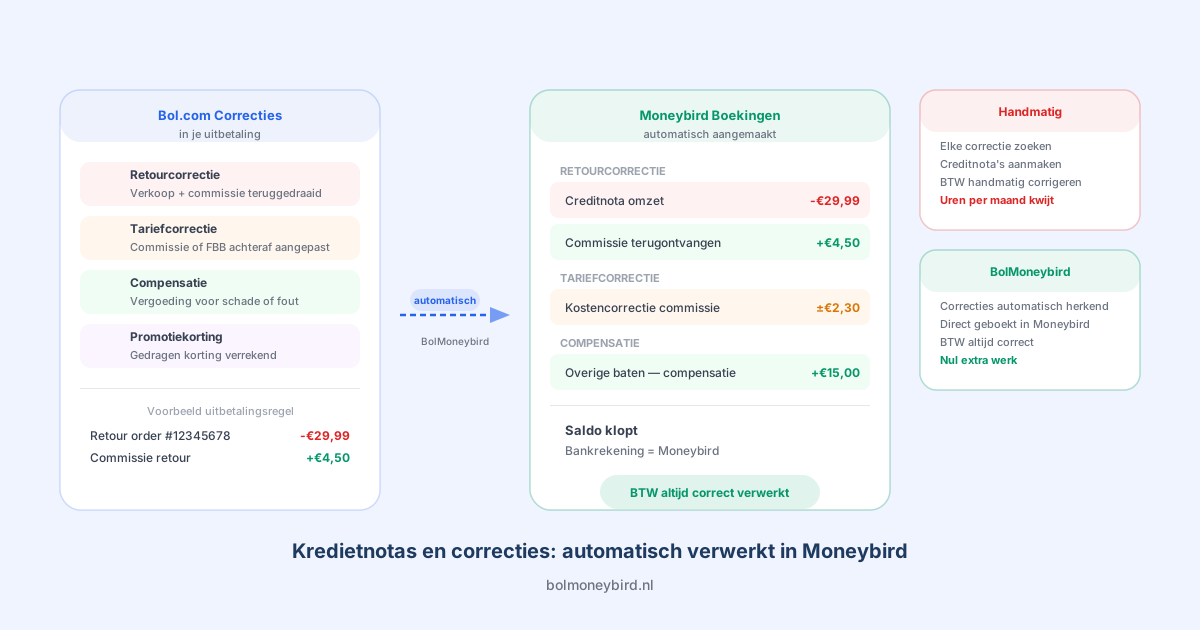
Even with automation, it helps to understand which situations can cause reconciliation differences. A common issue is timing. Bol.com sometimes processes returns in a later payment period than the original sale. This means a credit note can fall in a different period than the sales invoice, which causes confusion when you reconcile per period.
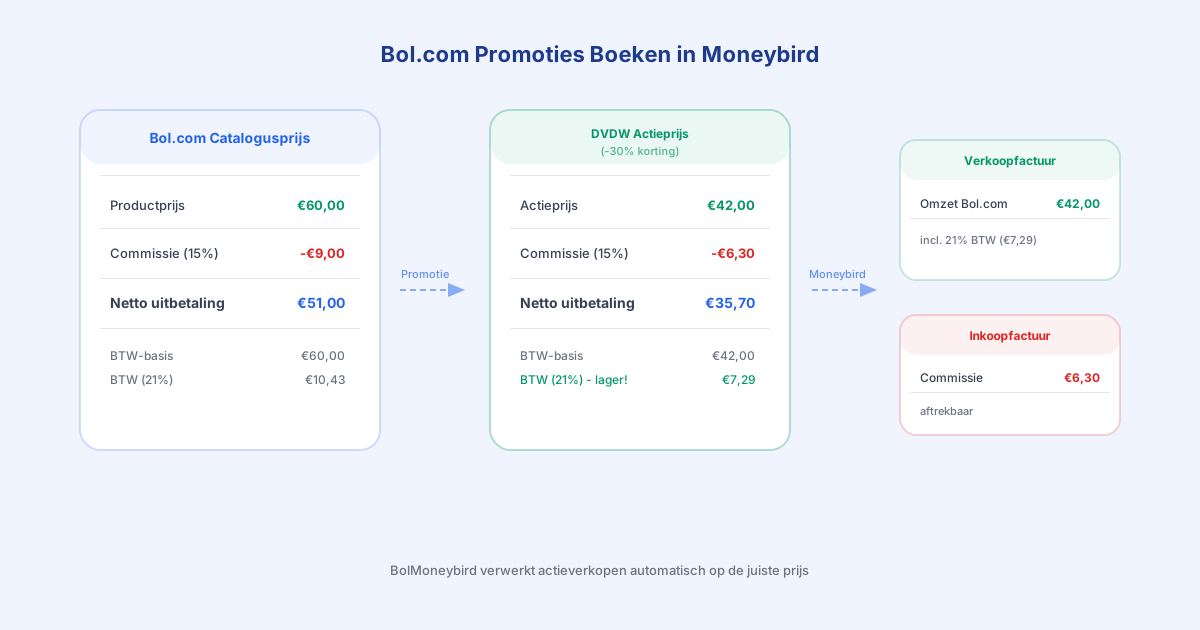
Another issue is promotional costs. If you participate in Bol.com campaigns or sponsored products, those costs are also settled in the payout. These need to be booked separately as marketing expenses, not as commissions.
Finally, there are rounding differences. Due to how Bol.com calculates VAT per order line and Moneybird calculates per invoice, minimal cent differences can occur. With hundreds of orders per month, these can add up. BolMoneybird accounts for this and automatically processes any rounding differences.
Get Started with Automated Reconciliation
Ready to leave manual reconciliation behind? With BolMoneybird, you connect your Bol.com seller account to Moneybird and synchronization runs automatically. You save hours of administrative work per week, prevent errors in your bookkeeping, and always have up-to-date insight into your numbers.
Visit bolmoneybird.nl and discover how easy it is to fully automate your Bol.com accounting. You can get started within five minutes, no technical knowledge required.
Tags
Share